
- Open the Township of Georgian Bay eServices Portal in a web browser.
- Under “Don’t have an Account?”, select Sign up now.

This website uses cookies to enhance usability and provide you with a more personal experience. By using this website, you agree to our use of cookies as explained in our Privacy Policy.
Before you begin: Have access to a valid email address. Property owners should
also have the Sign-Up Key from the Township tax form if available.
Step 1 - Open the eServices Portal
Step 2 - Choose a Sign-up Option
Choose the option that matches the information currently available to you.
Property Owner (Resident or Business) of the Township of Georgian Bay Choose this option when the Sign-Up Key from the tax form is available.
Guest Choose this option when the Sign-Up Key or validation information is not available. Property information can be added later.

Note: If the Sign-Up Key is not available, select Guest and continue. The property can be linked later.

Step 3 - Enter Account Details

Important: A verification email will be sent after registration. The account cannot be used until the email address is verified. If the message does not arrive, check the Junk or Spam folder.
Step 4 - Verify the Email Address
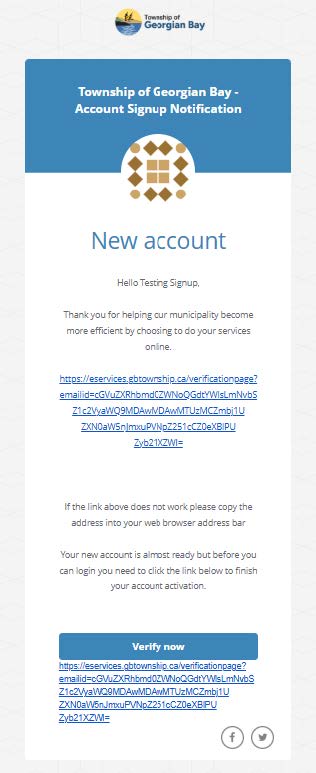
Security reminder: Confirm that the link leads to the Township eServices website before entering account information.
Step 5 - Confirm the Email Address
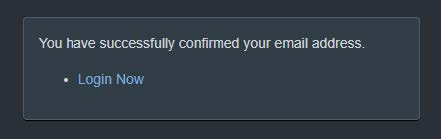
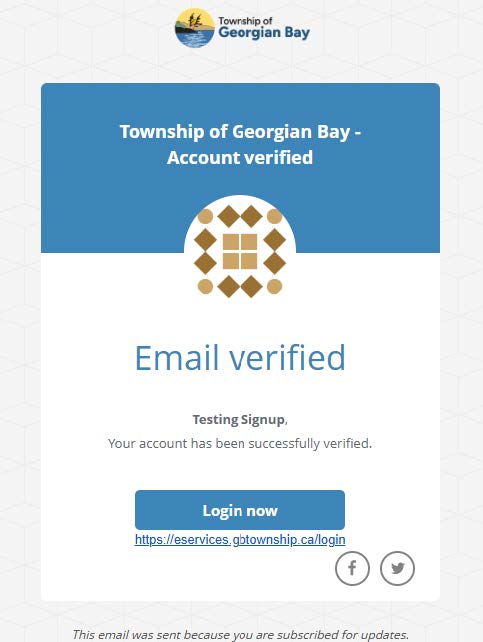
Step 6 - Review the Account Verified Email
A second email titled “Township of Georgian Bay - Account verified” confirms that the account was successfully verified.
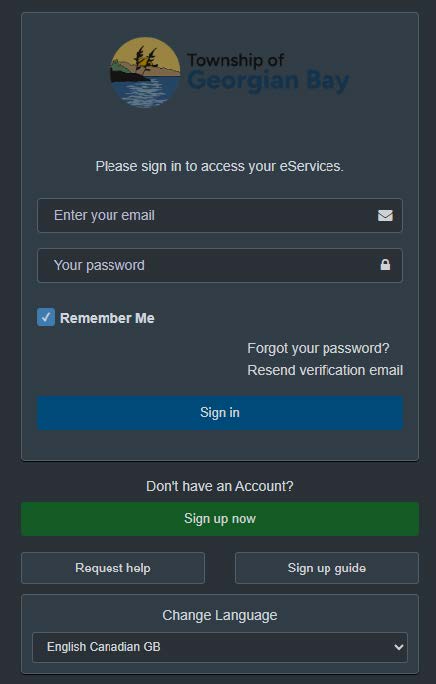
Tip: If the password reset message does not appear, check the Junk or Spam folder before requesting another reset.
Contact Us
Address: 99 Lone Pine Road
Port Severn, Ontario, L0K 1S0
Phone: 705-538-2337
Email: info@gbtownship.ca
Keep in Touch
Sign up for e-news, events and alerts!
How did we do today?
Were you able to get the help or information you needed from this website?